
How can we help you?
Thank you! Your submission has been received!
Oops! Something went wrong while submitting the form.
The Avatour Turnkey Kit includes a foldable mini tripod as the stand base, an extendable monopod and an external battery (either as a separate mountable item or directly integrated into the monopod. For a detailed description of all items see Avatour Hardware). This light weight set up allows for easy carrying of the equipment during a site walkthrough and setting the camera down at certain positions elevating the 360° cam position as needed (e.g. to eye level of the camera operator = perspective of the remote viewers). The battery mounted in between the tripod and the extendable monopod (or integrated) adds weight to the bottom of the equipment, thus, stabilizing it when setting down.
There are of course many other photo and video stand accessories available. Main considerations for selecting the right stand options are (1) weight - should be light to be easy to carry around, (2) tripod size - should not be seen in the bottom of the 360° video, (3) elevation - best is to have the 360° cam on eye level when setting down the equipment.
There are several hands free options available.
The Camera Operator can set the equipment down when pausing the walkthrough, thus, having both hands free.
Wheeled stands are a good option for sites with even and flat surfaces allowing a smooth rolling with no effect on the video quality.

Hard-Hat mounted solutions are also a good way to have your hands free and are especially suitable in industrial and construction environments where a hard hat is already being worn.

Shoulder mounted solutions (harness or backpack) are also a good option. However, some part of the 360° video can be obstructed by the head of the camera operator.

Some options allow the elevation of the camera above head level which then gives a similar view like the hard hat mounted option.

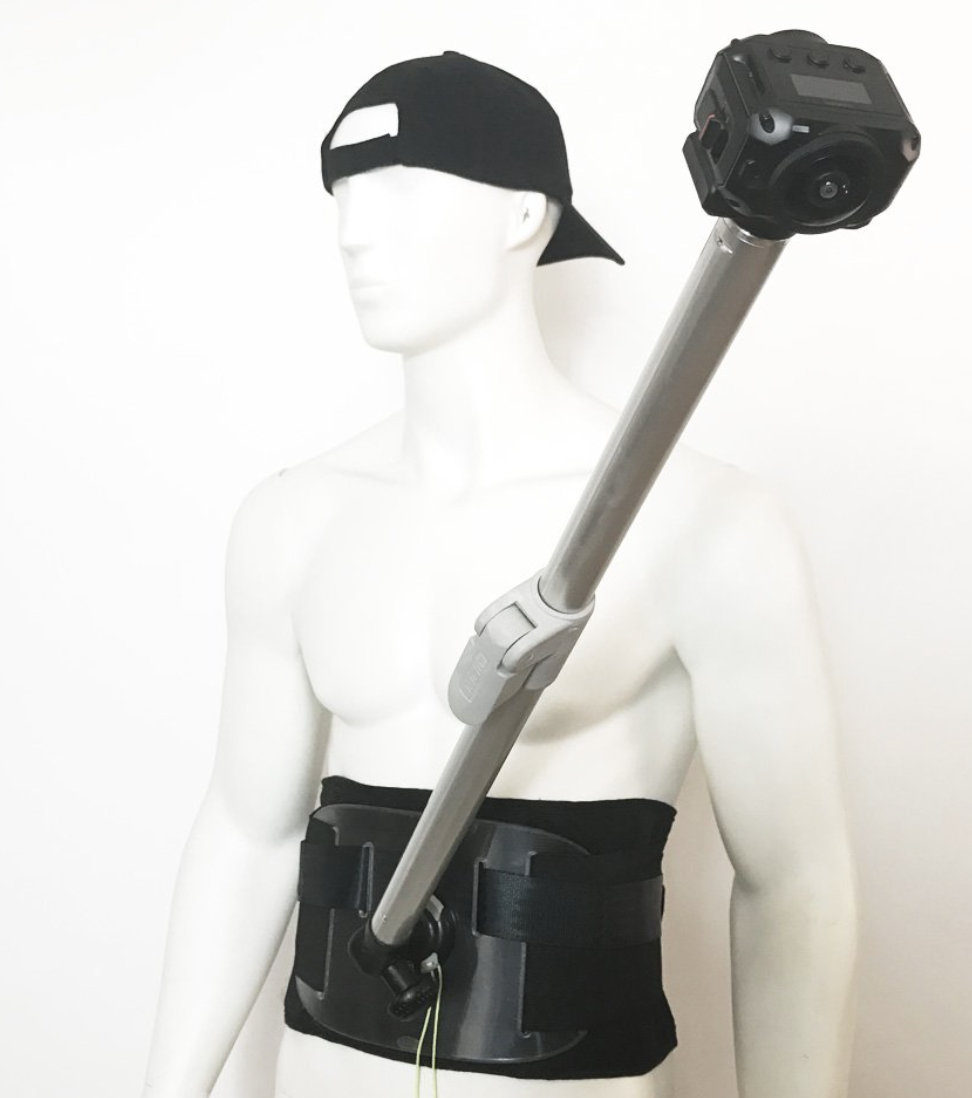
Another option is a body harness with a camera holder. The camera holder can be worn to the front or to the back of the camera holder.
Mounting the Avatour camera on an autonomous robot is an excellent solution for a complete remote set up - no onsite camera operator needed. And robots like the Boston Dynamics' Spot are capable of navigating complex factory environments — including stairs — largely autonomously, with the operator able to define the route rather than manually steer. If you're interested in a robot application, please contact Avatour to discuss your goals and your options.

It is also possible to mount the Avatour system on / under a drone, providing real-time 360° visibility for remote users anywhere in the world. If you're interested in a drone application, please contact Avatour to discuss your goals and your options.

There's one notable option for 360-degree lighting - a battery-powered LED lamp from Bushman Panoramic. It mounts directly inline with the camera using a 1/4-20" mount, has multiple brightness and color balance settings, and runs for 70 minutes at full brightness. The Bushman Halo is the only option we're aware of in this form factor.

Please get in touch with us at support@avatour.live.


